 |
Support for SQL Server 2008 New Features |
New Data Types: objects using these types are fully supported for processing (creating both condition and fix script parts); this also includes support of user-defined data types based on these types
Date and Time simplifying your work with date and time data, providing increased date range, fractional seconds precision, and time zone support:
- Date defines a date within the accuracy of one day
- Time defines a time of a day based on a 24-hour clock within the accuracy of 100 nanoseconds
- Datetimeoffset defines a date that is combined with a time of a day that has time zone awareness and is based on a 24-hour clock within the accuracy of 100 nanoseconds
- Datetime2 defines a date that is combined with a time of day that is based on 24-hour clock within the accuracy of 100 nanoseconds: can be considered as an extension of the existing datetime type
Hierarchy allowing you to construct relationships among data elements within a table
- Hierarchyid represents position in a hierarchy and sets the desired relationship between rows
Spatial predefined CLR data types in SQL Server allowing you to represent information about the physical location and shape of geometric objects
- Geography represents data in a round-earth coordinate system and stores ellipsoidal (round-earth) data, such as GPS latitude and longitude coordinates
- Geometry represents data in a Euclidean (flat) coordinate system
Enhancements in indexes:all the new index properties can be validated in your rules
-
Spatial Indexes allowing you to index a spatial column of geography or geometry data types. The Object Model was extended with the index property SpatialIndexType that allows you to define the type of the index (geography or geometry)
-
Relational (filtered) Indexes optimized non-clustered indexes specially developed to allow working with queries from a well-defined subset of data using a filter predicate. Enforce Object Model now has new index properties for indicating if an index has filter condition (HasFilter) and the filter condition property itself (FilterDefinition) for the further validation in a rule
Enhancements in column properties: all enhancements were ported to Enforce Object Model and are available in the rule condition
- Sparse columns - ordinary columns that have an optimized storage for null values. Column object now has IsSparse property indicating if a column is SPARSE
- XML COLUMN_SET - a column of this type is only materialized when selected, and will return you all the non-NULL sparse columns in a row as an XML BLOB. Column object was also extended with IsColumnSet property indicating if a column is XML COLUMN_SET
- FILESTREAM varbinary (max) the new way of storing BLOB data allowing you to store the data in the file system. Unlike columns defined with FILESTREAM attribute the ordinary varbinary(max) columns store their data in the tables. Table object now has special properties returning FILESTREAM file group (FileStreamFileGroup) and FILESTREAM partition scheme (FileStreamPartitionScheme) for the further validation
Enhancements in procedure parameters and user-defined types: READONLY parameters has limited support
- User defined table type allows you to define special types having table definition. Variables of such types can be used to store a result set for processing at a later time
and passed as procedure parameters or used within the procedure bodies directly. The Rulebase Explorer was extended to display User-Defined Table Type node having its own context menu.
Object model was enhanced with the new object type (UserDefineTableType) treating it differently from ordinary user-defined types and porting in there all properties and attributes
of table types for validation in your rules. Such rules can be executed separately from the other user-defined type rules
- Readonly parameters indicates that the parameter cannot be updated or modified within the body of the procedure.
Note: Such parameters will be treated as an ordinary ones without possibility to validate if a parameter is READONLY
Data compression in tables, indexed views, indexes and constraints: data compression has limited by the Object Model; you are allowed validating only one property of a respective object HasCompressedPartitions indicating whether an object has compressed partitions without possibility to determine ROW or PAGE compression type
- Data (Row and Page) Compression allows you to compress whole tables, indexed views, indexes, primary key and unique constraints; can be configured for a whole table, indexed view and non-clustered index and for each partition in case of partitioned indexes or tables. ROW compression means storing fixed length data in variable length storage format and PAGE compression means minimizing the data redundancy
Change Tracking and Change Data capture: Change Tracking feature is fully supported by the Object Model; Change Data Capture feature can be analyzed without limitations from the code of validation rules (it can also be used in the FixSQL string), however it has no explicit support in the Object Model
- Change Tracking built-in servers ability that allows you to answer the following questions: What rows have changed for a user table? and Has a row changed? Enforce Object Model was enhanced with the ChangeTrackingEnabled property of Table object indicating if CHANGE_TRACKING feature is enabled for a table
- Change Data capture this new SQL Server feature provides historical change information for a user table by capturing both the fact that DML changes were made and the actual data that was changed. Changes are captured by using an asynchronous process that reads the transaction log and has a low impact on the system
|
Leverage a prewritten "Best Practices Rulebase"
|
ApexSQL's Best Practices Rulebase is a collection of more than 60 generally accepted Industry Best Practice rules for SQL server. These rules are written and tested by ApexSQL enabling end users to simply load and run them. All rules can be edited, ignored, and even deleted allowing you to fully customize the rulebase.

|
Benefit from an Online community of shared Rulebases
|
The ApexSQL Enforce Online Law library is a great resource allowing you to download updated versions of ApexSQL Rulebases as well as rulebases posted by others.

Users can browse, view, and download rulebase code or discuss them on the forum.

|
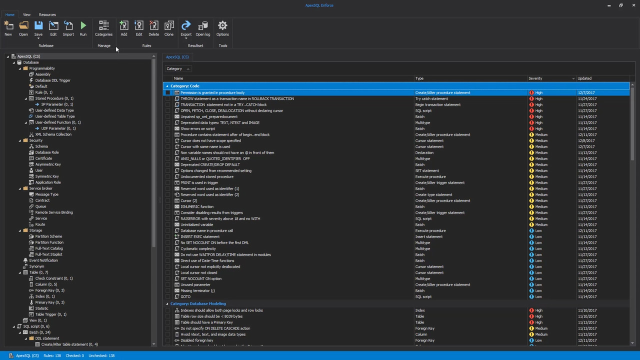
Rulebase Explorer
|
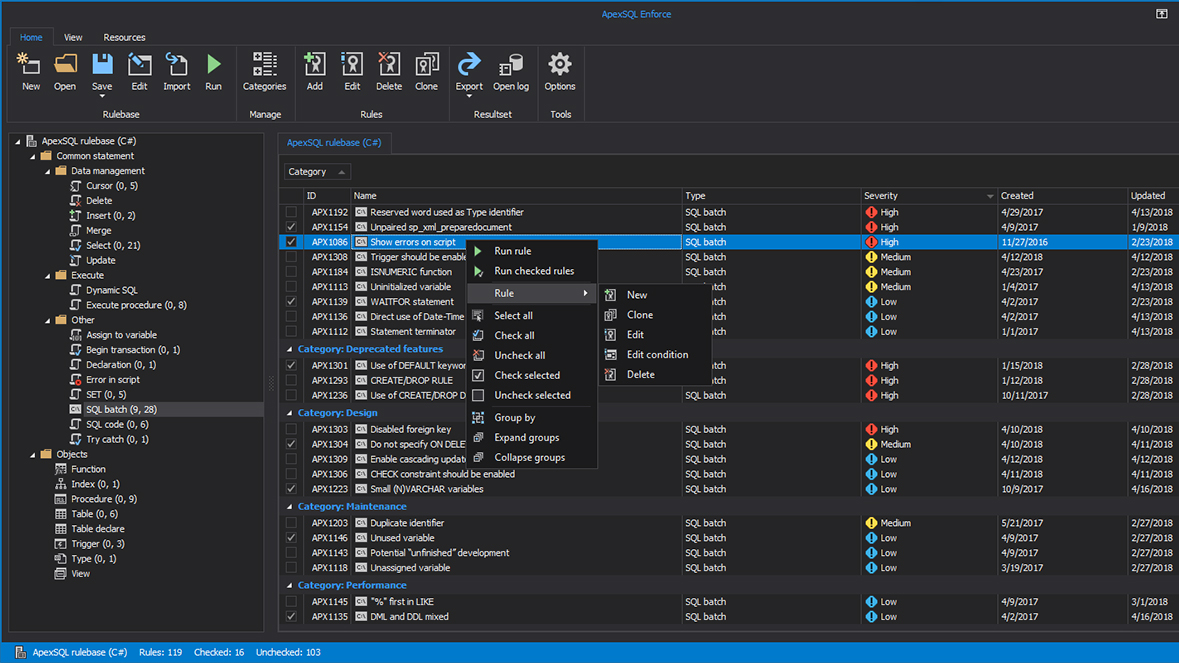
The Rulebase Explorer is a powerful tool to allow users to quickly browse and edit rulebases.

|
Edit rule conditions like a Pro
|
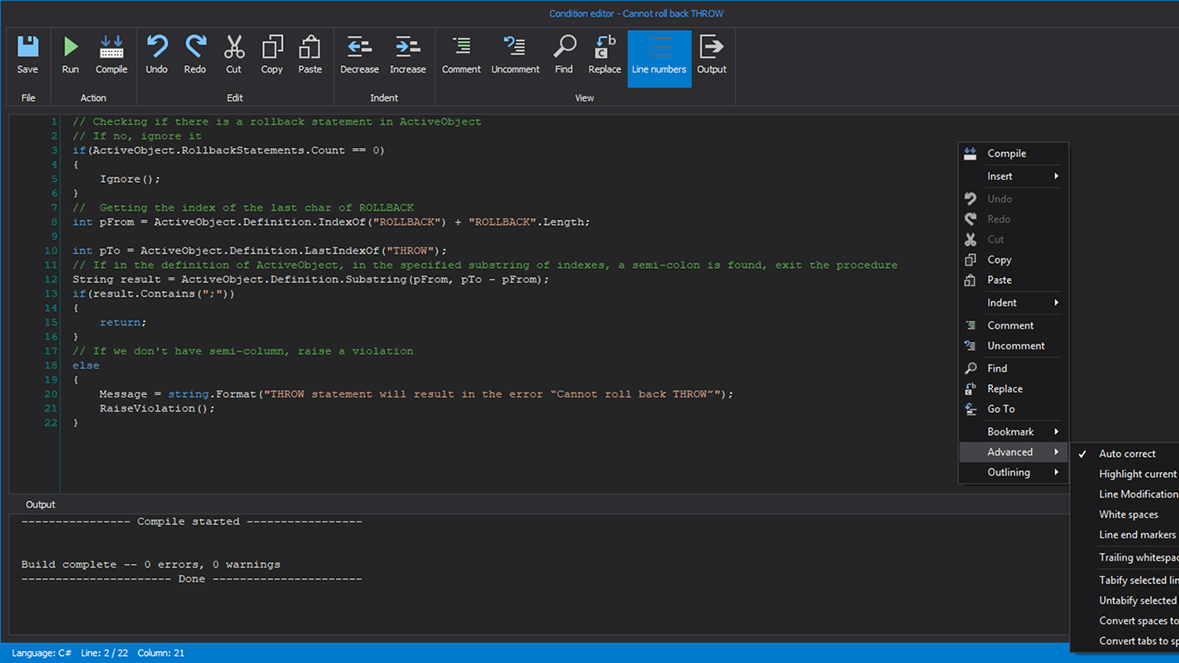
ApexSQL Enforce includes a powerful, internal Editor for writing Rule conditions that features IntelliPrompt, compilation, and standard word processing features.


|
Analyze rulebase results
|
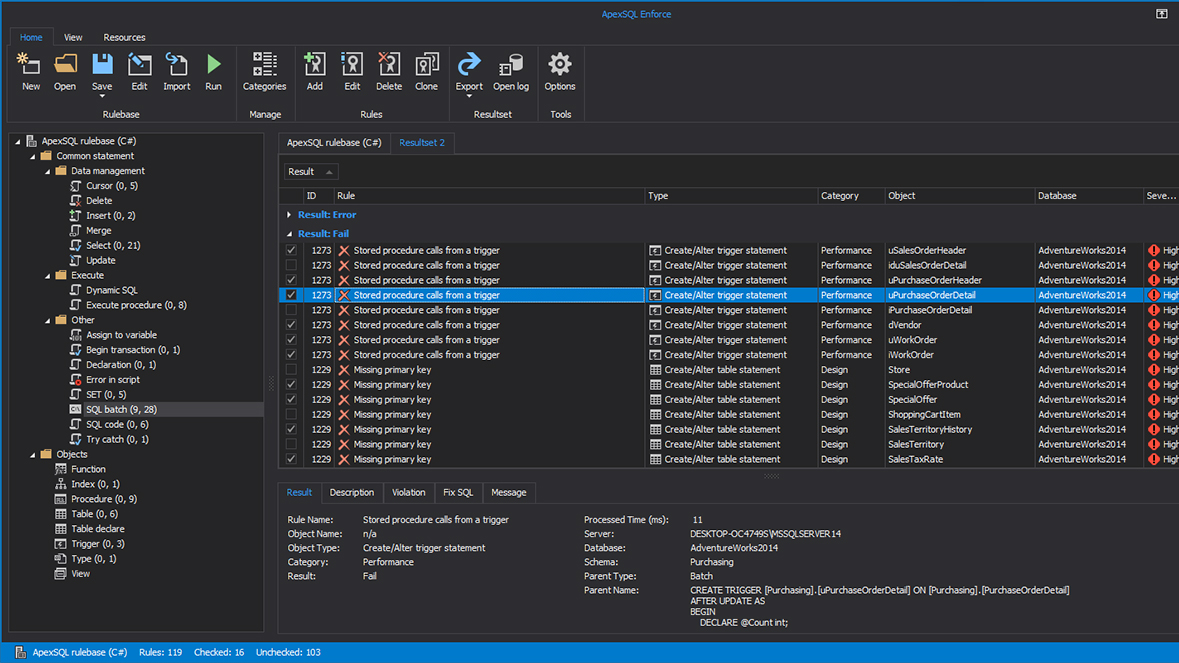
The results are presented in a feature-rich grid allowing for multi-column grouping and sorting and column level filters. Severity, Result (pass or fail), and Object Type can all be viewed via icons.

|
Easily import rules from existing rulebases
|
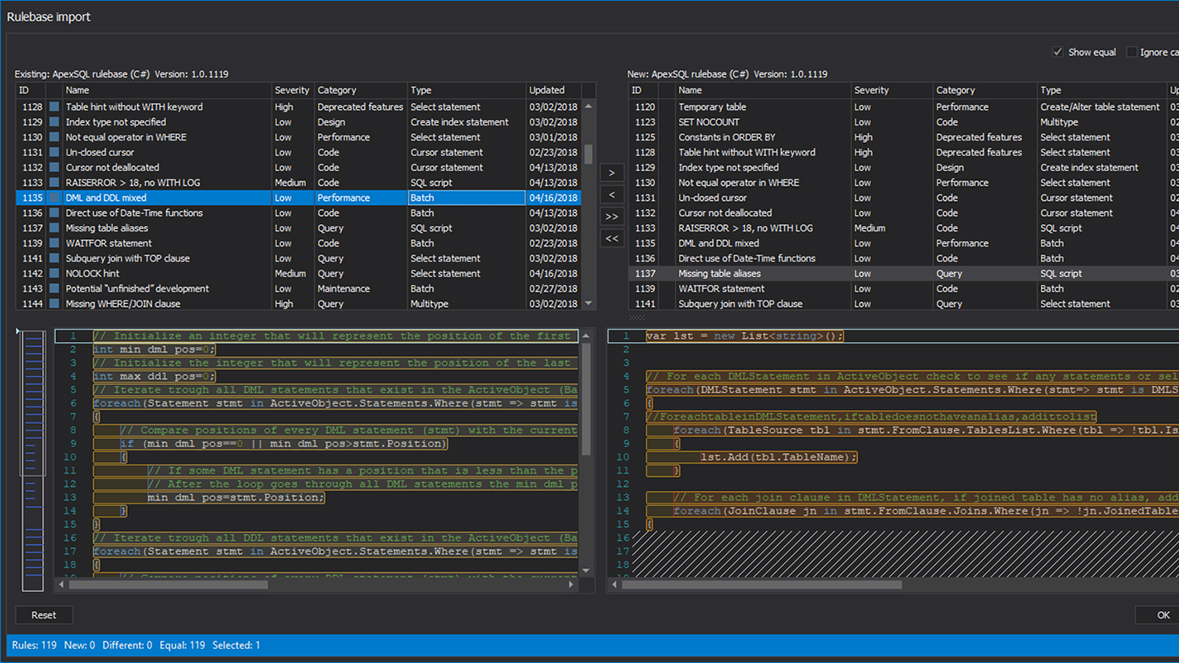
Rules can easily be exported and imported into existing rulebases.

|
Don't just find problems, fix them as well
|
Each rule can contain a customizable "FixSQL" script which can be run to fix the detected violation. FixSQL scripts can be combined in a single SQL script which, when executed, will fix all rulebase violations.


|
Report on processing results
|
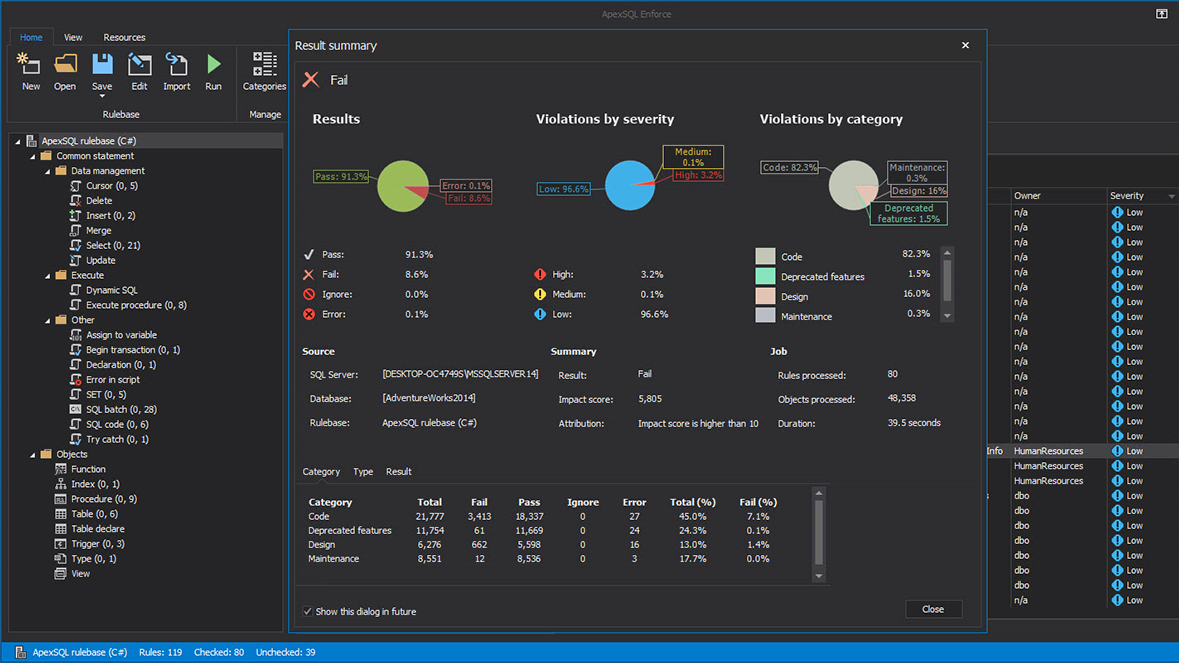
After a rulebase has been processed, a detailed report can be produced quickly and shared among peers. The generated report shows a full inventory of the results, from database level pass/failure status down to individual object-level violations.


|
Audit all processing events
|
ApexSQL Enforce implements a powerful trace logging mechanism by default. It can also be customized to display your own user-defined messages. This helps isolate issues encountered during rulebase processing, debugging, etc.

|
Run jobs unattended, overnight etc.
|
ApexSQL Enforce has a powerful command line interface that supports a variety of option switches. All GUI Project wizard configurations can be performed via command line interface. This is helpful for scheduled batch runs and large database documenting.

|
Determine the threshold for Failure
|
ApexSQL Enforce allows users to customize the threshold at which a Database will be considered to have failed at the individual Rulebase level. Processing can be suspended based on additional criteria to avoid unneccessary processing after a database has already failed or exceeded some other extreme threshold.

|
Customize Rule Severities
|
Users have full control over rule severities including creating new Severities as well as editing them, changing impact score & description, and even selecting an icon from our large library of Severity icons.