ApexSQL Complete FAQs
General
For a list of general FAQs about ApexSQL add-ins, please see ApexSQL add-ins general FAQs
SSMS and Visual Studio support
ApexSQL Complete supports integration SSMS with SSMS 2012 and higher
You can use the latest full-featured backwards compatible SSMS for free. Click here
Microsoft SQL Server 2005 and higher
SQL Server Express, Standard, and Enterprise editions
Yes. ApexSQL Complete supports Azure SQL Database and SQL Server on Amazon RDS
The add-in can be used directly from SSMS and Visual Studio alongside any other ApexSQL add-in
Yes. Select the SSMS versions the add-in should be integrated in during its installation process
Support is offered for Visual Studio 2010 and higher
Yes. Select the Visual Studio versions the add-in should be integrated in during its installation process
Please visit the following article: How to install ApexSQL add-ins and integrate into host environments e.g. SSMS, Visual Studio
SQL code complete
Yes, the add-in fully supports encrypted objects including auto-completing their names, accessing their parameters and displaying their structure
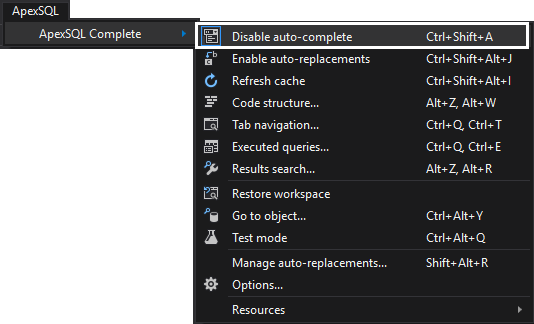
Yes. To do so, click Disable auto-complete in the ApexSQL
Complete menu:
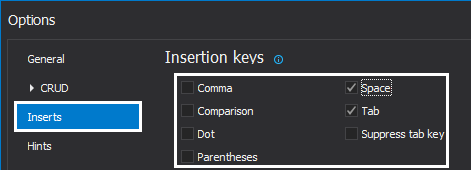
In the ApexSQL Complete menu, click Options and navigate to the Inserts tab.
To specify which keys to be used as insertion keys, select the checkbox next
to the displayed key:
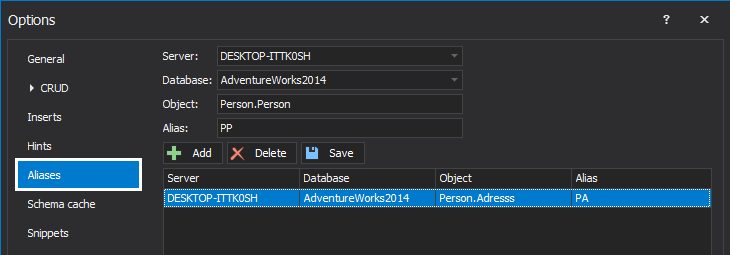
Yes. In the ApexSQL Complete menu, click Options
and navigate to the Aliases tab where you can specify a
custom alias for each object from all available SQL Server instances and
databases:
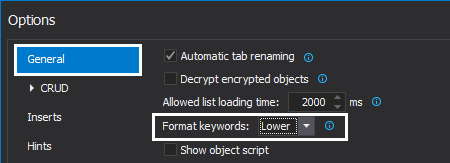
In the ApexSQL Complete menu, click Options and navigate to the General tab. The automatically inserted keyword's case can be specified there.
For more formatting and refactoring options, please see the ApexSQL Refactor product page:
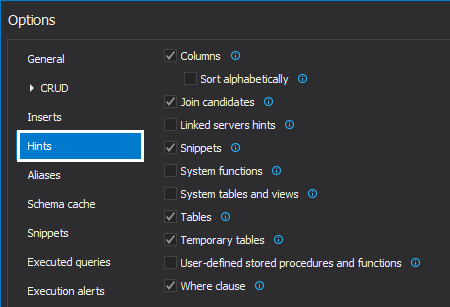
In the ApexSQL Complete menu, click Options
and navigate to the Hints tab. To specify the scenarios in
which you do not want auto-complete to appear, simply deselect the appropriate
checkboxes:
You can invoke auto-complete at any time by pressing Ctrl+Space
Use the Up/Down keys or the mouse wheel to scroll through the auto-complete list
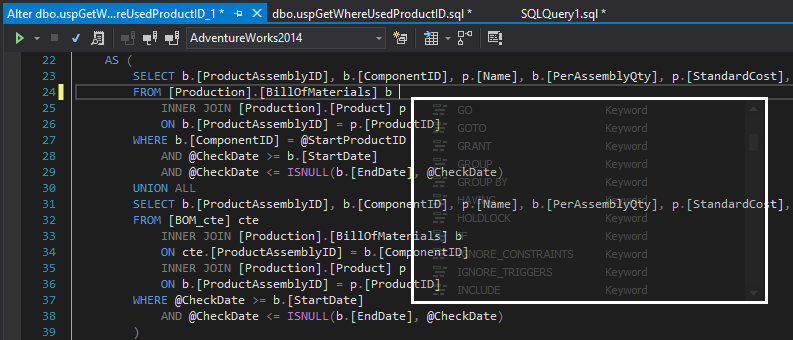
Yes, in the case where a quick overview of current SQL code is needed, when
working with large scripts, to invoke the hint list transparency, the Ctrl
key needs to be pressed:
In the ApexSQL Complete menu, click Refresh cache to ensure that the auto-complete cache contains the latest database schema
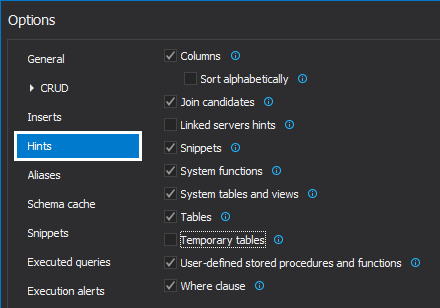
Yes, cache loading speed depends on numbers of objects (hints) selected. To
speed up loading, exclude unwanted hints from the Hints tab
under the Options window:
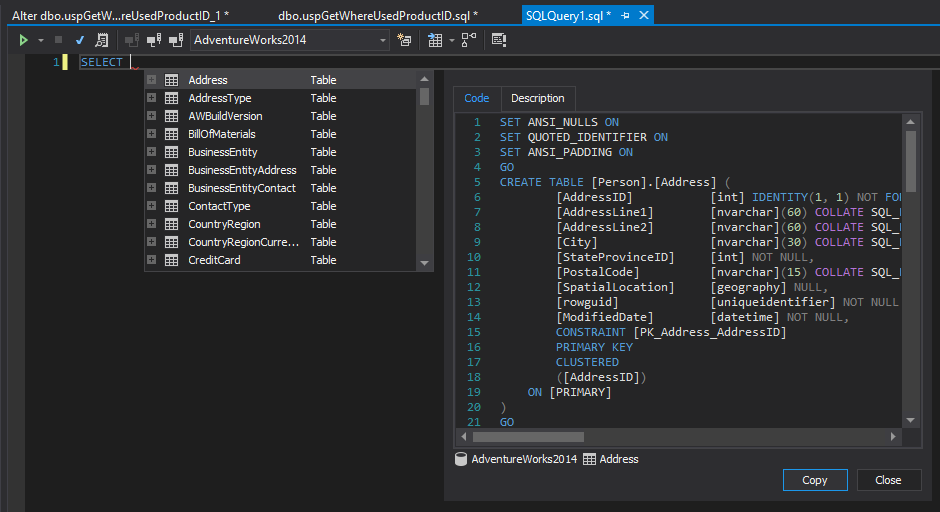
Yes, right after the object in the hint-list is selected, the Object
script box appears showing the T-SQL script for the selected object:
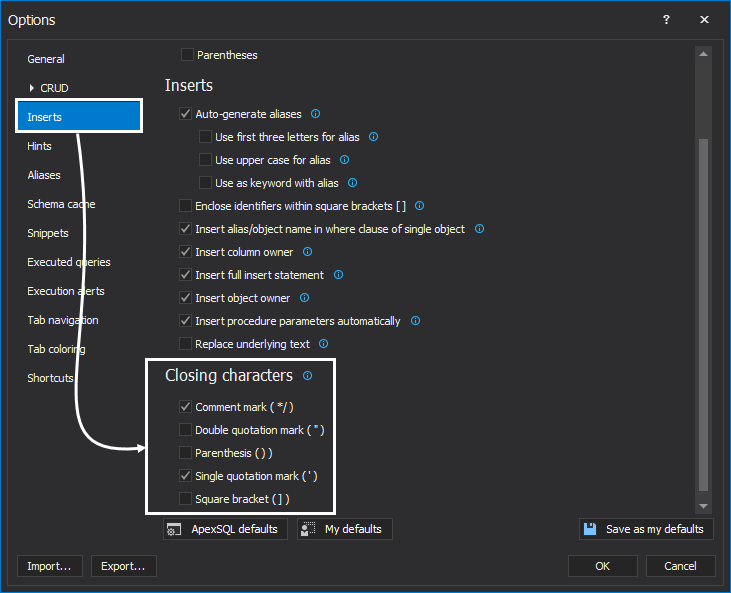
Yes, the auto-completions options can be enabled under the Inserts
tab of the Options window
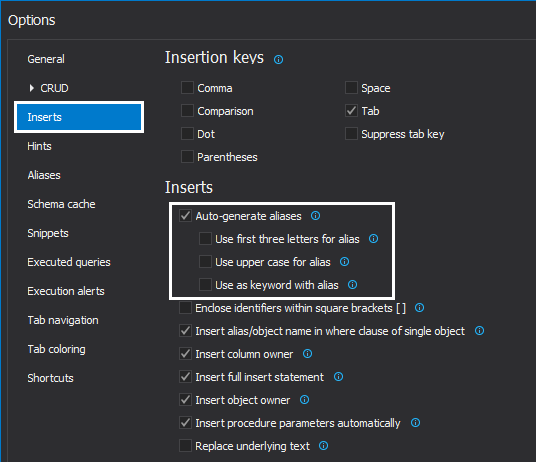
Yes, under the Inserts tab of the Options
window there are options for setting aliases
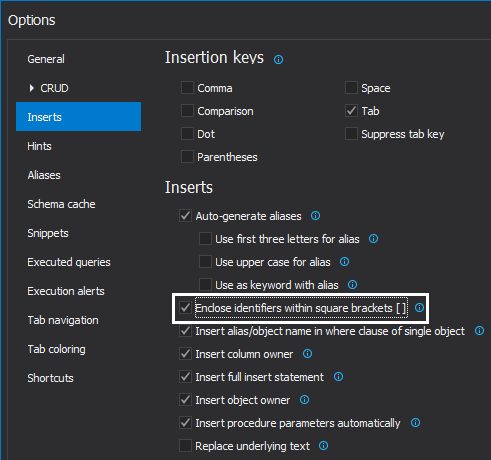
Yes, in the Inserts tab of the Options
window, check the Enclose identifiers within square brackets
option:
Now, when some objects from the hint-list are chosen, they will be enclosed in square brackets:
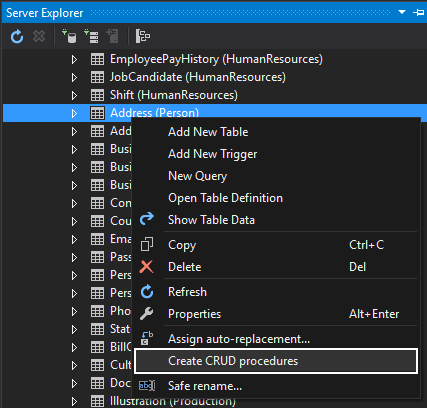
Yes, you can create those procedures by using the Create
CRUD procedures feature:
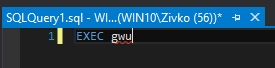
Yes, using the Auto-replacement feature you can speed up coding assigning and auto-replacement token, for common typing mistakes (e.g. Adress -> Address), frequently used SQL commands (e.g. Create table), frequently used objects, etc.
When the specified string is typed, and hit one of the insertion keys, it will be auto-replaced with the object name:

Auto-replacements cannot be accessed from the hint list. The add-in will just replace the text according to the auto-replacement specification. On the other hand, snippets can be accessed from the hint list, and they appear according to the context of a query
Export and Import data options
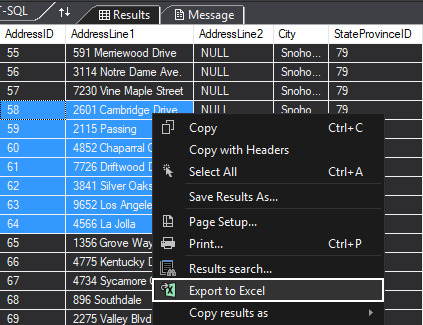
Yes, In ApexSQL Complete there is the Export
to Excel feature that is used to export results from the Results
grid to Excel:
Yes, under the Copy results as sub-menu, there are three
commands for coping data results in the different format:
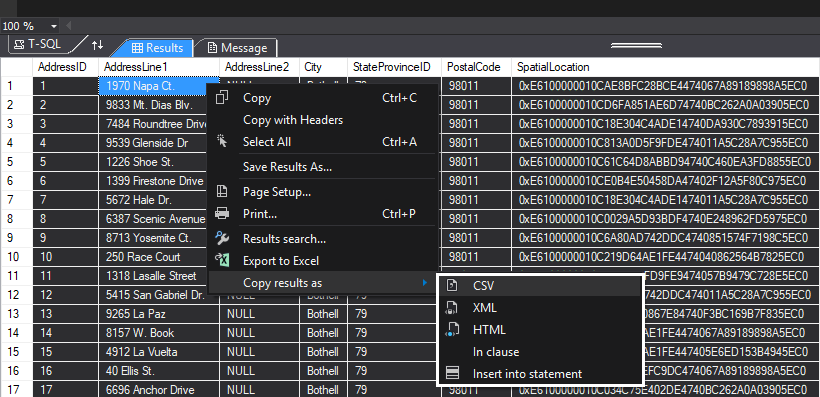
The Copy query as XML, CSV, and HTML option allows you to copy the results from the SSMS/Visual Studio results grid and paste it into one of three mentioned formats.
With the Copy result as Insert statement option, a user can copy data from Results grid into clipboard as Insert statements for the future use.
Copy result as an In clause allows you to copy data from one or more fields in the column into the clipboard as IN clause
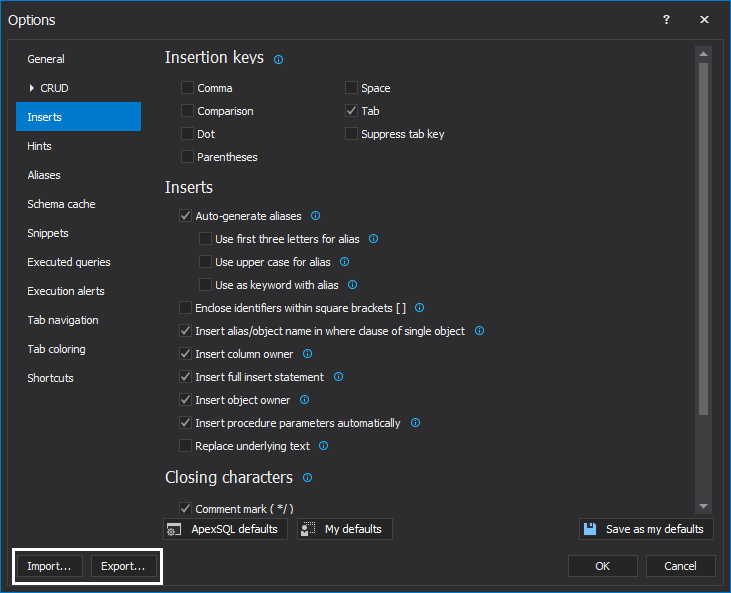
Yes, all options can export to the appropriate location on another machine
where ApexSQL Complete
is already installed:
Search data
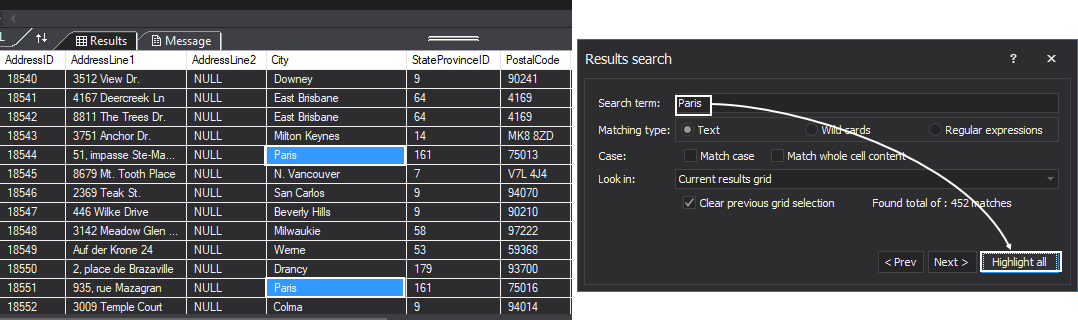
Yes, to search through the data in the Results grid you can
use the Results
search feature:
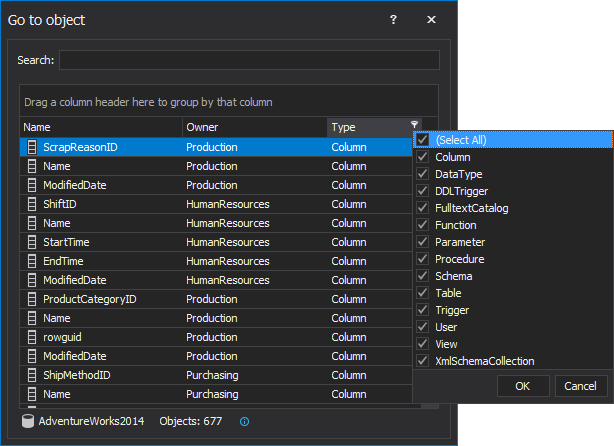
To perform a quick object search over a database in order to find SQL Server database objects and get the appropriate information (e.g. how many tables have the same name in the database with different schemas) or to locate objects in the Object Explorer pane in SSMS, the Go to object feature can be very useful:
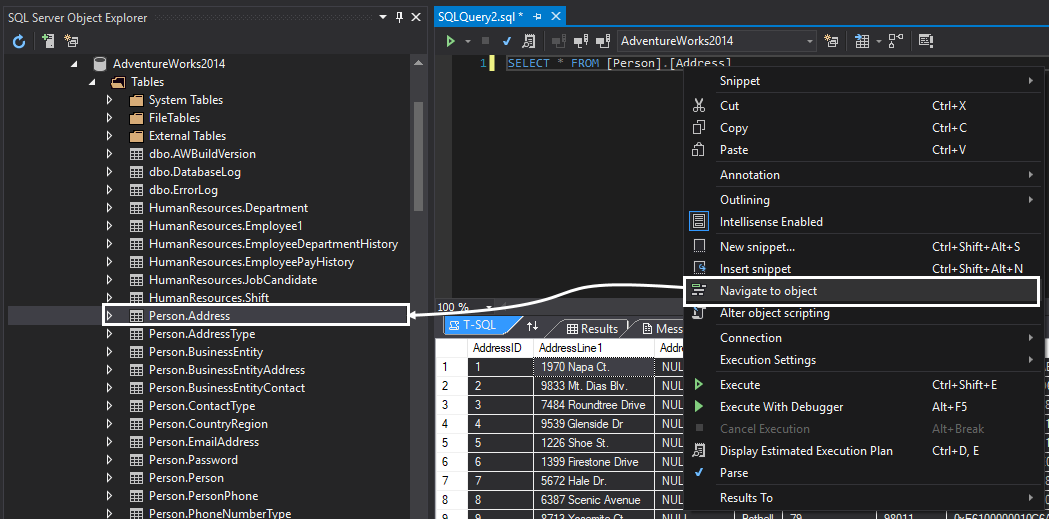
Yes, right-click on the name of the object in the query window and from the query window context menu use the Navigate to object command:
SQL code snippets
Yes, ApexSQL Complete already has 225 built-in snippets and user custom SQL snippets can be created too
Please visit the following article: How to code faster with SQL Server code snippets
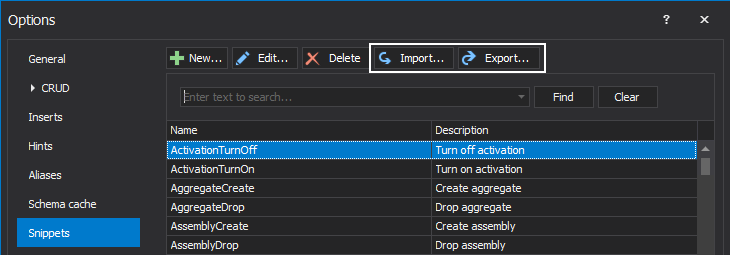
Yes, each snippet is a separate .xml file and using the Import/Export options in the Snippets tab of the Options window, all snippets can be saved as a compressed file and used across the team:
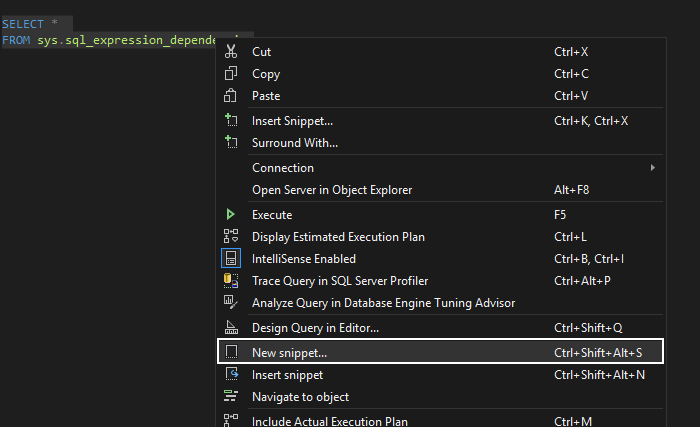
Yes, in a query window select the desired SQL code, right click and from the context menu, choose the New snippet command:
Safe SQL coding practices
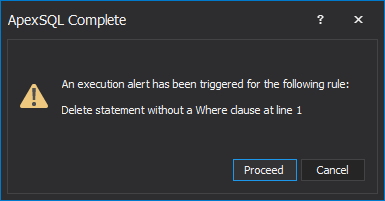
Yes, in ApexSQL Complete there is the Execution alerts feature that can block query execution and produce a warning message. For example, if it is attempted to execute a Delete statement, without a Where clause:
Yes, under the Execution alerts tab of the Options window, press the New button and in the New alert window, set a desired condition:
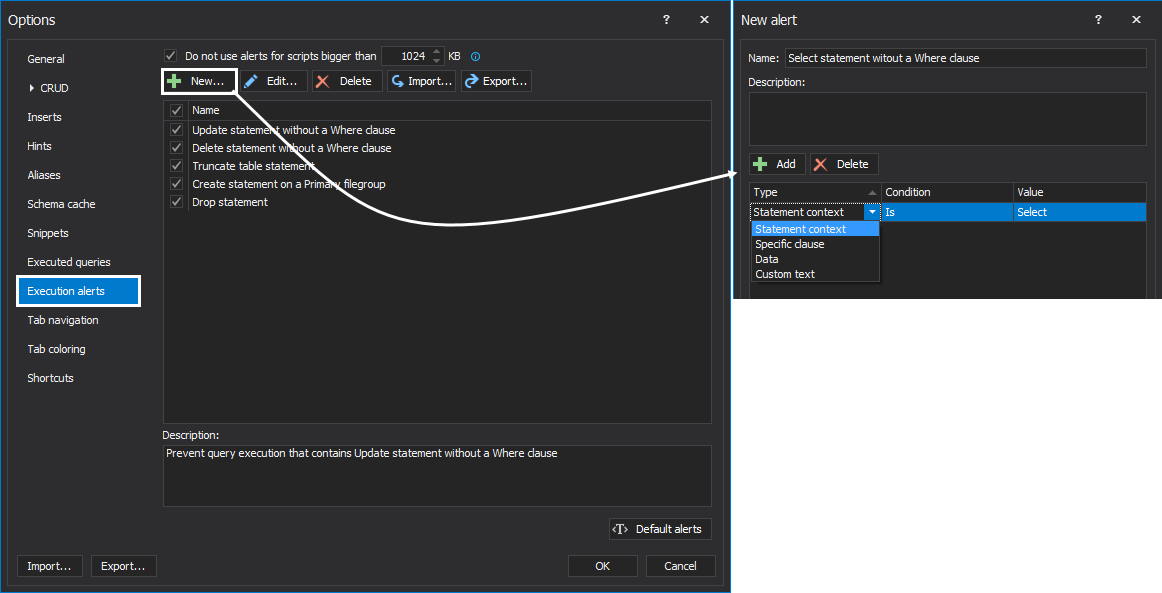
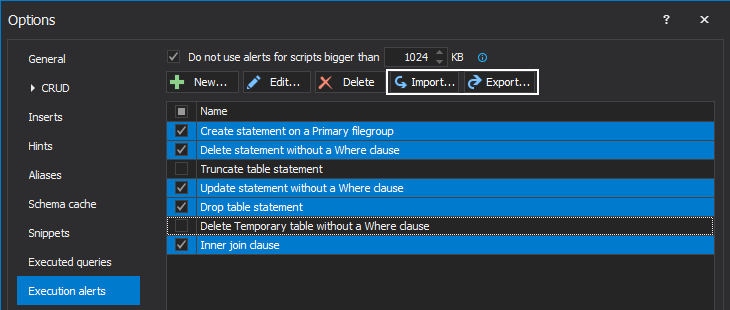
Yes, under the Execution alerts tab of the Options dialog, using the Import/Export options, any and all alerts can be saved as a compressed file and used across the team:
Yes, activating the Test mode feature which allows executing a query without making any changes to a database:

When Test mode is enabled, SSMS/ Visual Studio status bar is colored red. This means that any executed query will not make any changes to a database’s actual structure:

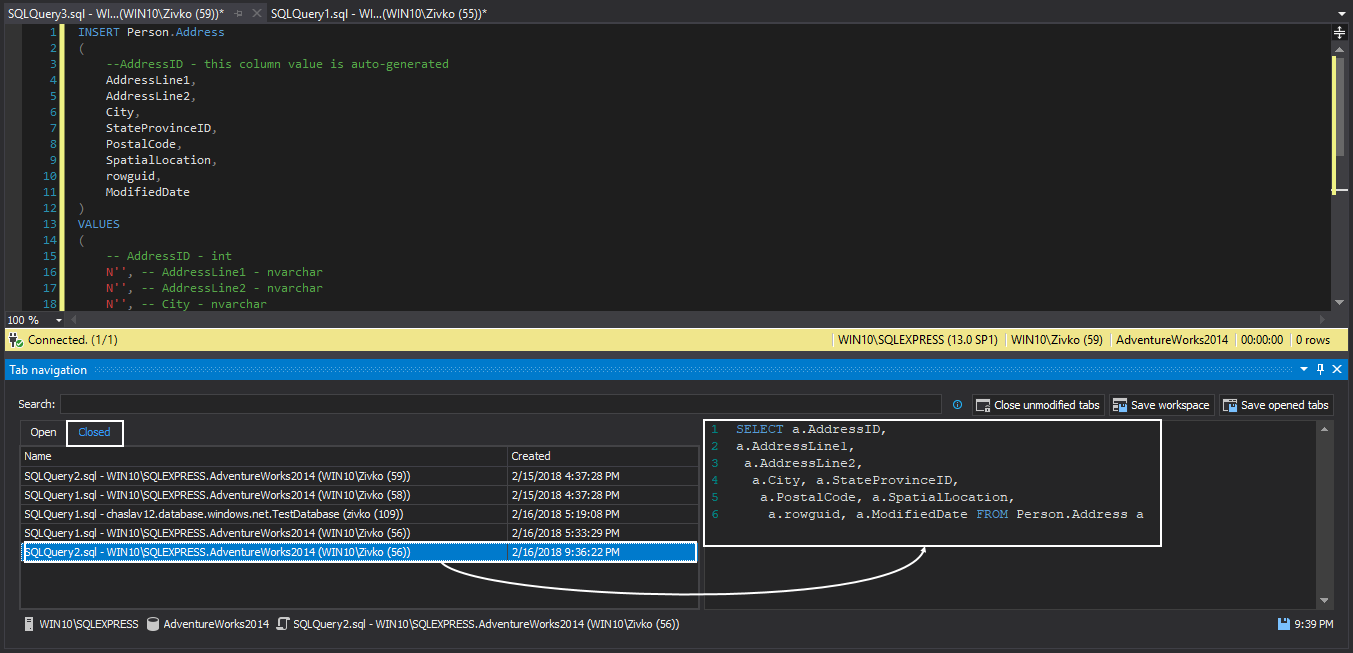
Yes, in ApexSQL Complete there is the Tab navigation feature which can be used to organize and save opened tabs, explore closed tabs and re-use them:
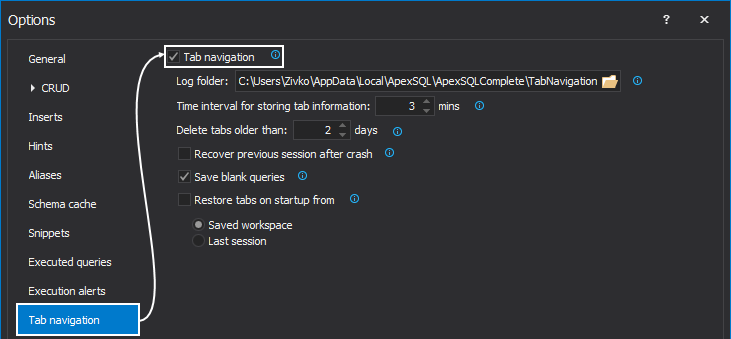
No, to enable the Tab navigation feature, from the Options window check the Enable tab navigation option, under the Tab navigation tab:
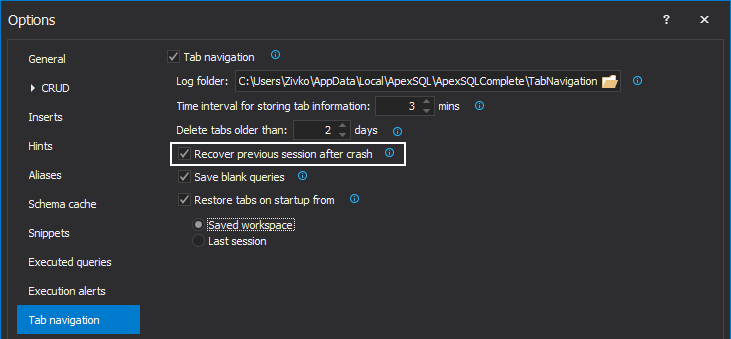
Yes, to ensure that all opened tabs will be recovered and opened on the next host application start, the Restore previous session after crash option must be checked:
Yes, the ApexSQL Complete Tab coloring feature can set custom connection colors for individual instances of SQL Server, down to the database level. SQL Server instances and databases can be assigned to a specific environment to help quickly identify which connection a tab is currently using
Executed SQL code
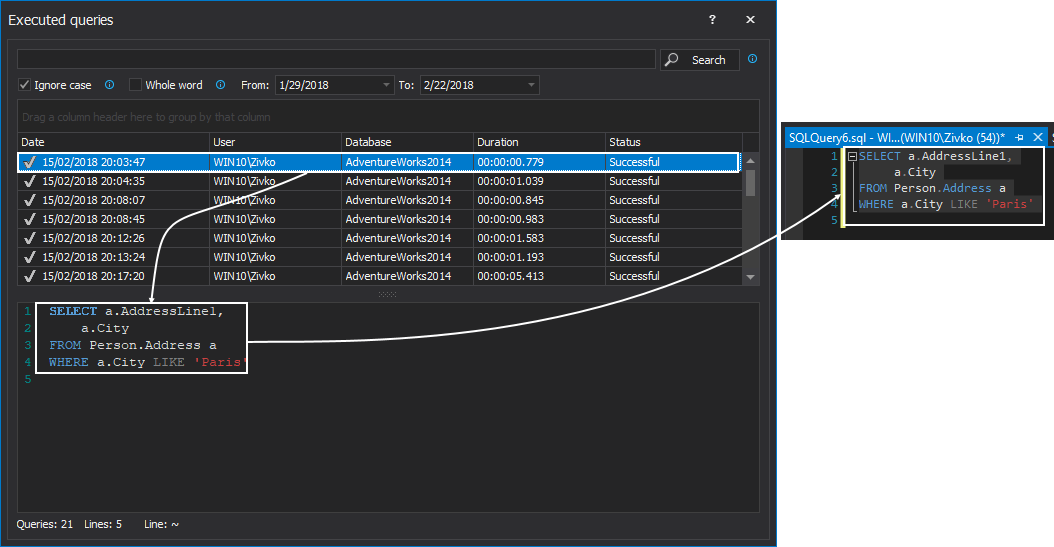
Yes, ApexSQL Complete has the Executed queries feature. With this feature you can manage executed queries, search its content and re-use them:
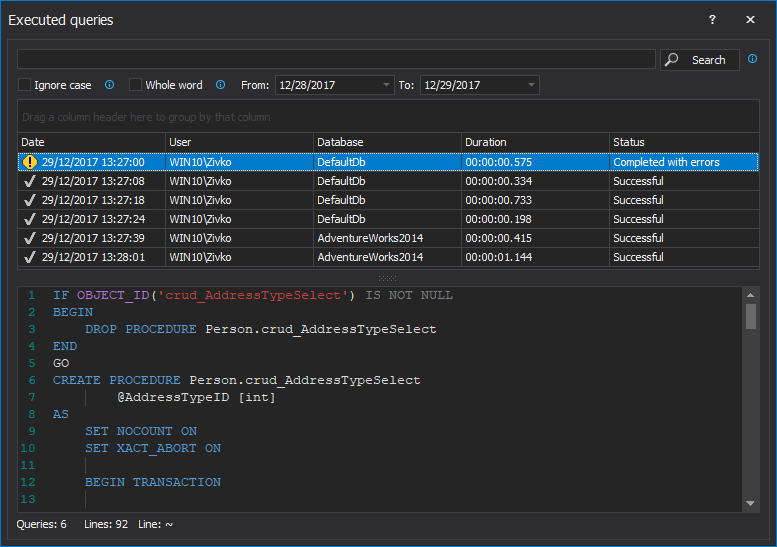
Yes, content of executed SQL queries can be copied from the details pane, or double-click on the desired query from the list, it will automatically put the query content in a new query window: